
How to pin your target running pace to the iPhone Lock Screen
Save the pace in Milemark, then long-press your Lock Screen, tap Customise, and add the Milemark widget to the row under the clock. Your target pace is then readable with a glance at a locked phone, which matters when your hands are cold and you are eleven kilometres into something hard.
Why a Lock Screen widget beats a note
The alternatives all cost you something mid-run. A screenshot means unlocking the phone and finding it in Photos. A note means unlocking, opening the app, and scrolling. Writing the pace on your hand in biro works right up until it rains.
A Lock Screen widget skips the unlock. On an iPhone with an always-on display the pace is simply there, in the same place, every time you look down.
Adding the widget, step by step
- Set your target paceOpen Milemark and scrub the minutes and seconds to the pace you are racing or training at.
- Save itTap Save Target Pace at the top of the screen. This is the feature behind the $1.99 one-time unlock.
- Open the Lock Screen editorLock your iPhone, then press and hold on the Lock Screen and tap Customise when it appears.
- Choose the widget rowTap the area directly beneath the clock to open the widget picker.
- Add MilemarkFind Milemark in the list and tap its widget to drop it into the row, then tap Done.
The same widget is available on the Home Screen if you would rather keep the Lock Screen clear.
What the widget shows
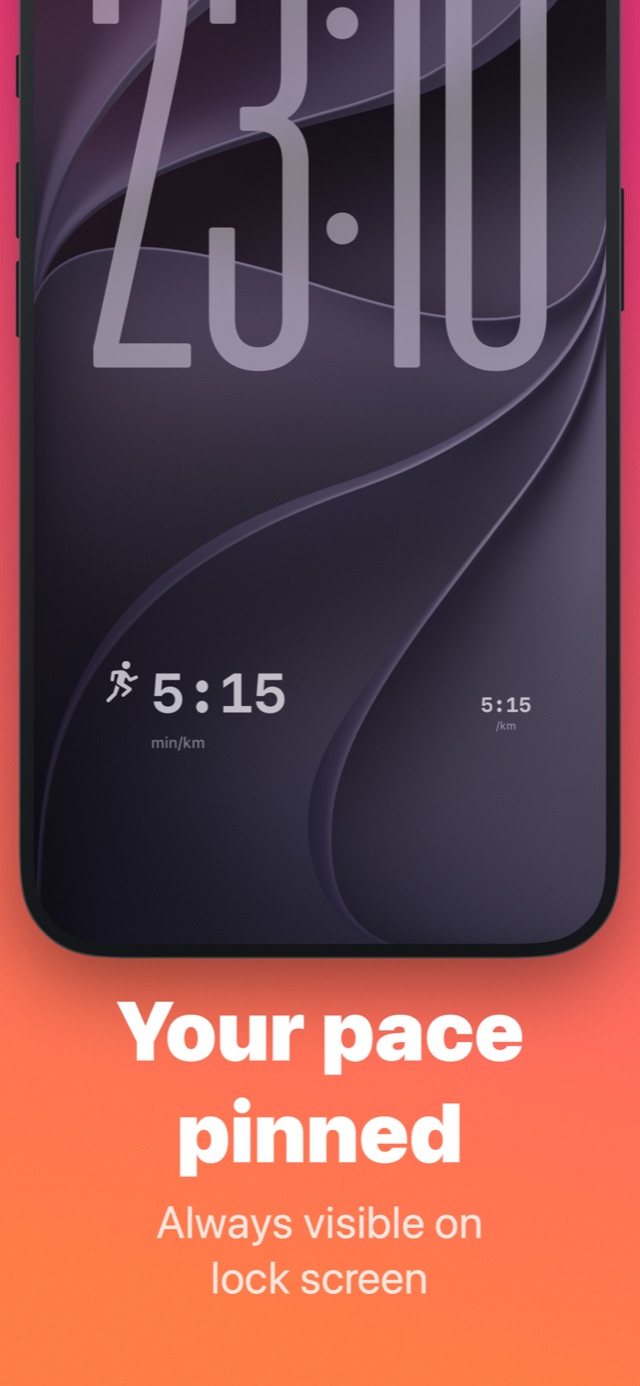
A runner glyph and your saved pace with its unit, for example 5:15 min/km. It shows the pace you chose rather than a live measurement, because Milemark has no GPS and is not tracking the run. It is the number you are trying to hit, not the number you are hitting.
If the widget does not appear
Two things usually explain it. The unlock may not have completed, in which case the Save Target Pace row still shows a padlock. Or no pace has been saved yet, and the widget has nothing to display. Save a pace first, then check the widget picker again.
Questions about this
Does the widget show my live pace while running?
No. It shows the target pace you saved. Milemark has no GPS and does not track runs, so there is no live figure to display.
Do I need the paid unlock for the widget?
Yes. Saving a target pace is the $1.99 one-time purchase. Conversion, speed and race times are free.