How to get CMYK values from a color in a photo

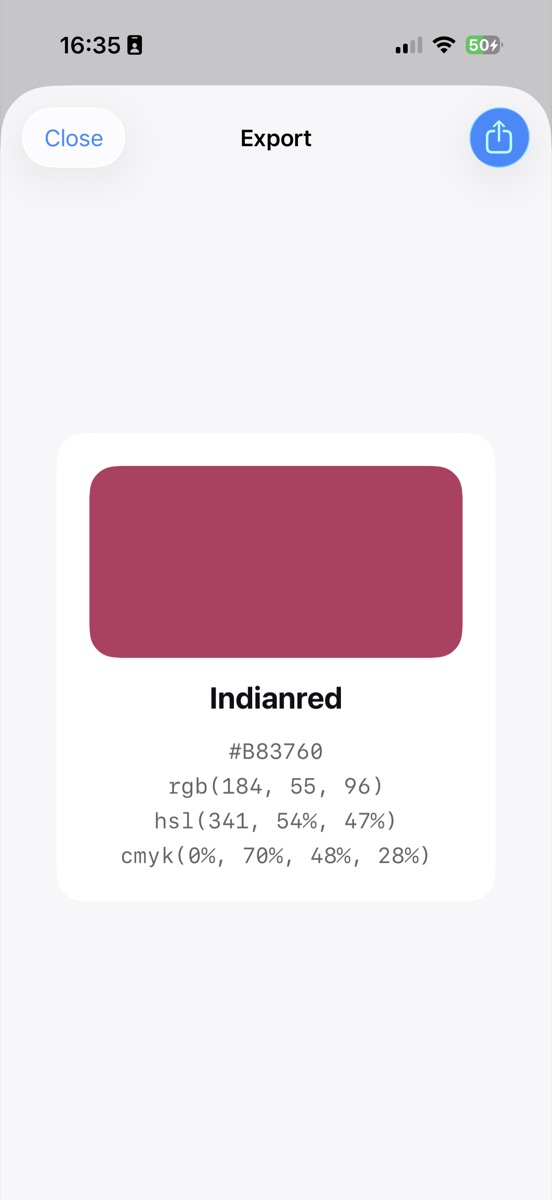
Any picker that reports CMYK alongside RGB gives you the four ink percentages in a single tap. Swatchr puts them on the same card as the hex code, which means a color pulled off a printed sample or a photograph goes into a print spec without a detour through a converter.
Reading the four numbers
cmyk(0%, 68%, 47%, 31%) means no cyan ink, 68% magenta, 47% yellow and 31% black. Add them up and you get total ink coverage, which matters because commercial presses have a limit, often around 300%, above which the paper stops accepting ink cleanly.
The K channel is the useful one to watch. A high K with low color channels tells you the color is mostly a gray, and a color reading K of 0 with three high channels is going to be built from three inks where one black would have done it more cleanly.
Why these numbers are a start, not a spec
The conversion from a screen color to CMYK has no single correct answer. The right numbers depend on the press, the ink, the paper and the profile the printer works to. Coated stock takes ink differently from uncoated, and the same file sent to two printers comes back looking different.
So use the reading to get in the right area and to spot problems early. If a color comes back with a very high total coverage, or with a saturated blue that has no sensible ink mix, you have learned something useful before the artwork is built rather than after the proof arrives.
Sampling a printed sample properly
If the color you care about is already printed, photograph it in indirect daylight, not under a desk lamp and not in direct sun. Lay the sample flat, keep the phone parallel to it, and avoid casting your own shadow across the frame.
Take readings from two or three points and compare. Ink laid over a halftone screen rather than as a solid will vary point to point, and averaging your own readings by eye gets you closer than trusting a single pixel.
Common questions
Can I get a Pantone number this way?
No. Pantone colors are a licensed system with their own reference data, and matching to them needs that data rather than a conversion formula.
Should I design in CMYK from the start?
For print, working in CMYK from the beginning avoids nasty surprises at conversion time, because you only ever see colors the process can actually produce.
Try it yourself
Swatchr reads the color of anything your camera can see, or any point in a photo, and hands you the hex, RGB, HSL and CMYK.
Download on the App Store